Why setting up collaborators matters
- Your backup person always has what they need. If something unexpected happens, your spouse, child, or trusted contact will still have access to key documents.
- Share only what you choose. Collaborators can only see the sections or documents you specifically grant. No over-sharing.
- Keeps your family organized. Passports, insurance cards, tax forms, medical contacts — all in one place for the people who rely on you.
How to set up a collaborator
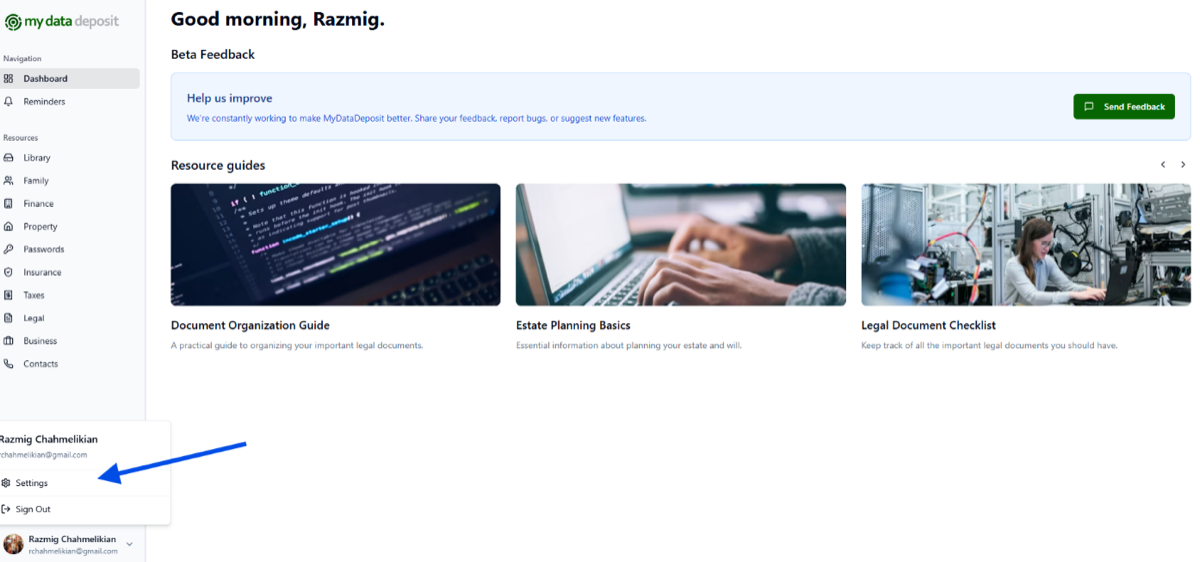
Step 1: Open your Settings
Click your name in the bottom-left corner and select Settings.
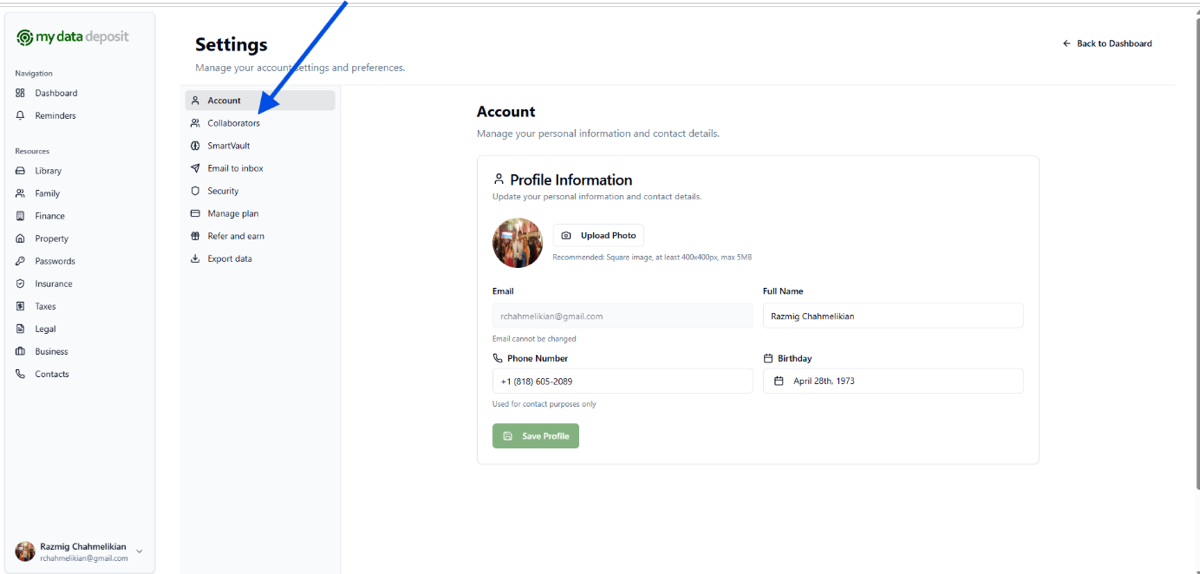
Step 2: Go to "Collaborators"
In the Settings sidebar, click Collaborators.
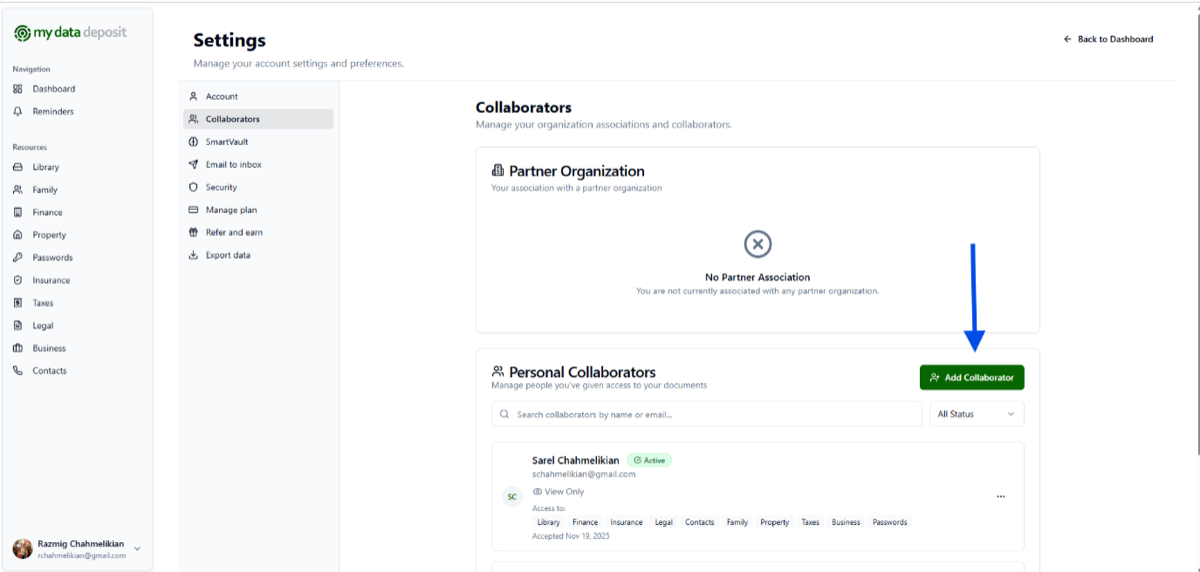
Step 3: Click "Add Collaborator"
Under Personal Collaborators, press the green Add Collaborator button.
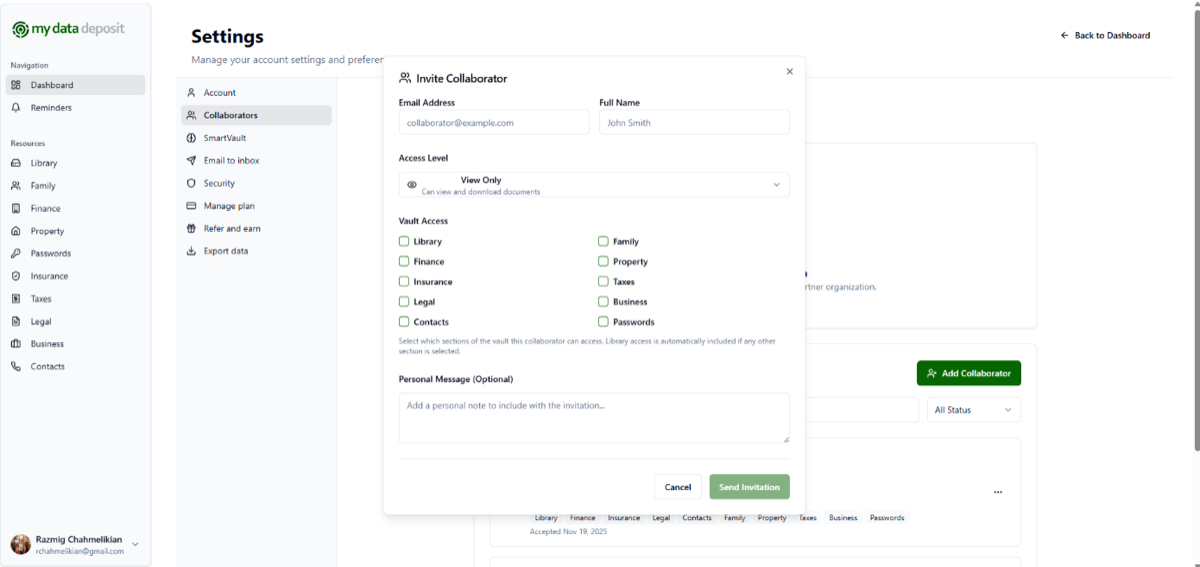
Step 4: Enter their details and choose permissions
Add their name and email, choose an access level, and select exactly which sections they can view. When you're done, click Send Invitation.
What your collaborator sees
Once you send the invitation:
- They receive an email invitation.
- They click the link to log in or create a free account.
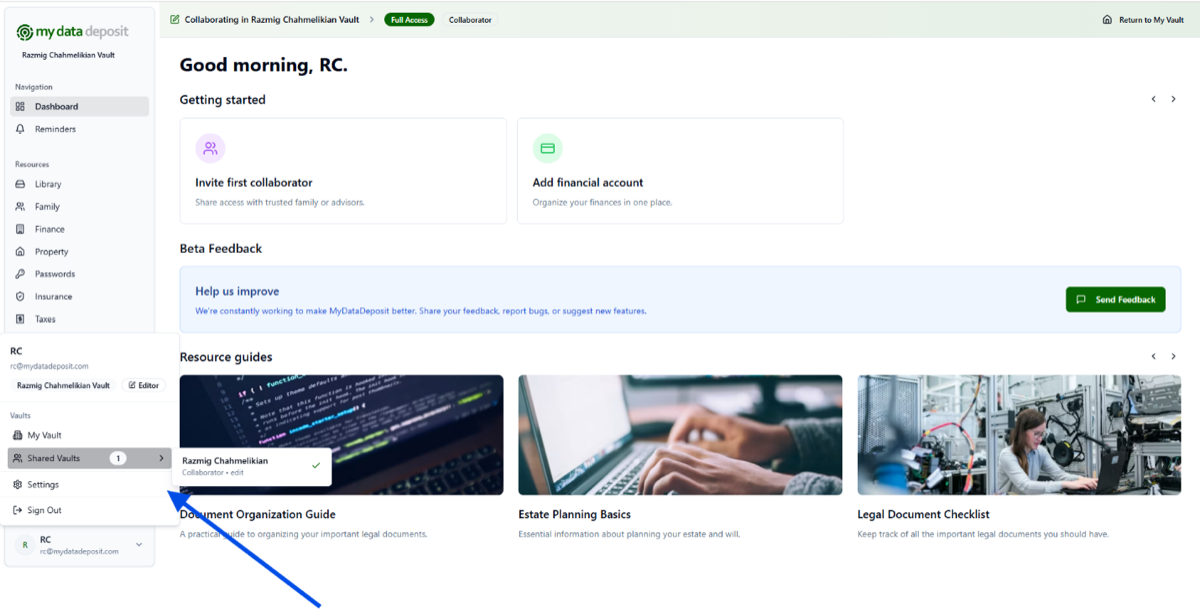
- In the bottom-left corner they'll see their name. Clicking it reveals Shared Vaults and the name of the person who shared a vault with them.
- They can only see the items you selected — nothing else in your vault.
🚀 Complete this step soon. Setting up a collaborator now means the people you trust will have what they need, exactly when they need it.